Summary
This how-to document will provide an overview of the following:
- How to Login to Connect Mobile App
- To begin with, use your Trainer Portal username and password to log in. If you're unsure of your password, follow the process on how to Change your Connect Account Password.
- How to Change Connect Account Password
- If you cannot remember your password or need to change your password.
Notes:
- If you have not already downloaded the mobile app, you can get the LivingWorks Connect mobile app via the links below.
- Install the LivingWorks Connect app based on your mobile device:
App Store or Google Play.
How to Login to Connect Mobile App
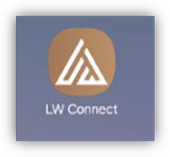
- Launch Mobile App LivingWorks Connect from your mobile device.
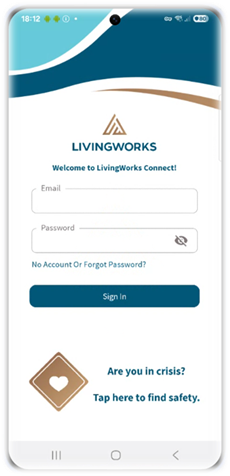
- The following Sign In screen will appear.
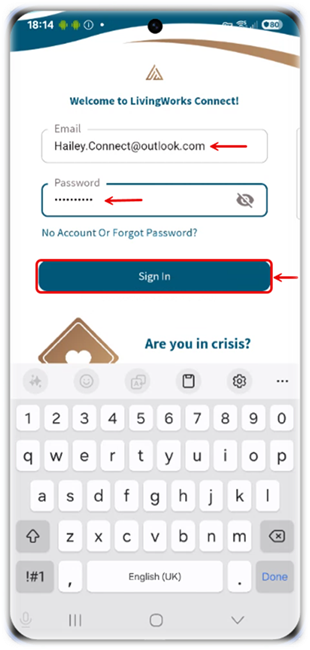
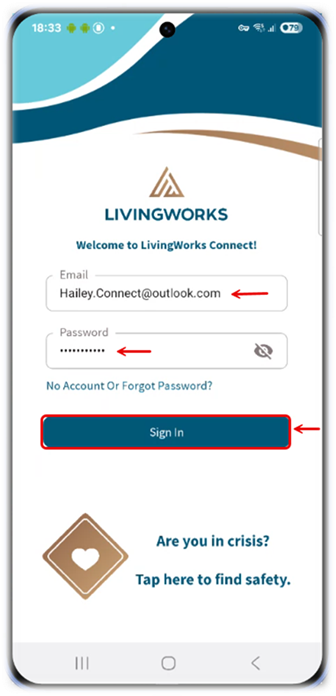
- Enter the email address and password associated with your Trainer Portal account, then click “Sign In” to proceed.
Note: Your Trainer Portal email address is the same as your Connect account email.
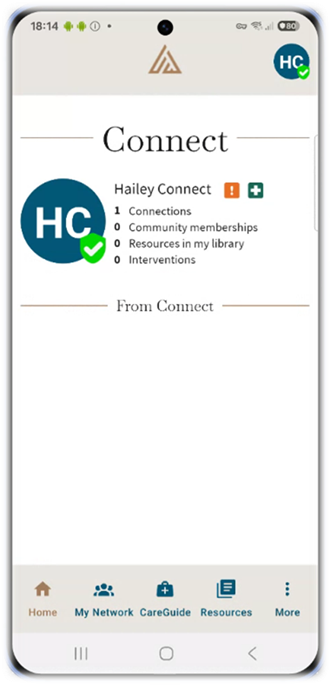
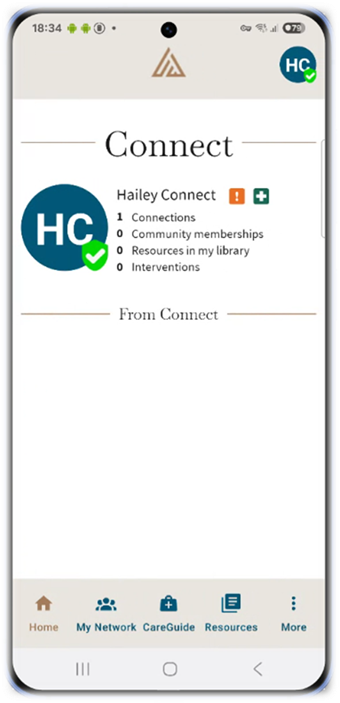
- You’ll now be directed to the Home screen of the LW Connect app.
How to Change Connect Mobile App Account Password
- Open the LivingWorks Connect mobile app on your device.
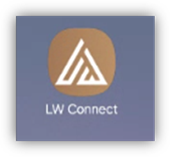
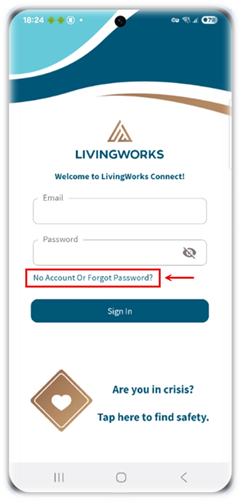
- Click on “No Account Or Forgot Password?” to setup a new password.
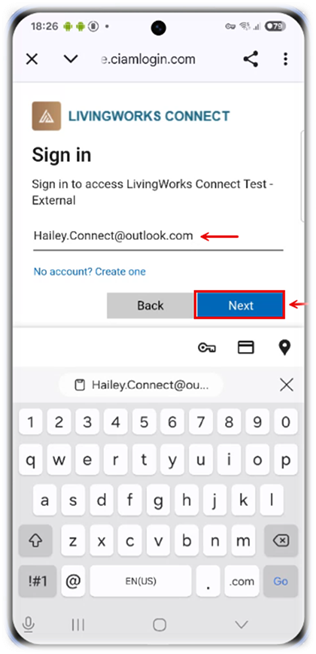
- Enter the email address associated with your Trainer Portal account, then click “Next” to proceed.
Note: Your Trainer Portal email address is the same as your Connect account email.
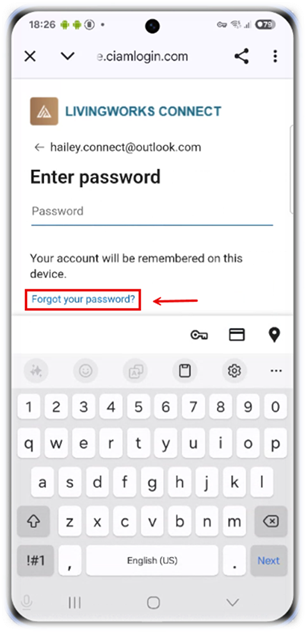
- Click “Forgot your Password?” to create a new password.
Note: When you click on Forgot your Password, a verification code will be sent to the email address linked to your LivingWorks Connect account.
- Check your inbox - your Account Verification code is sent to your email address associated with LivingWorks Connect account.
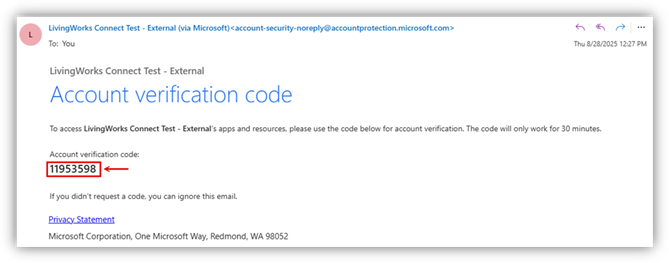
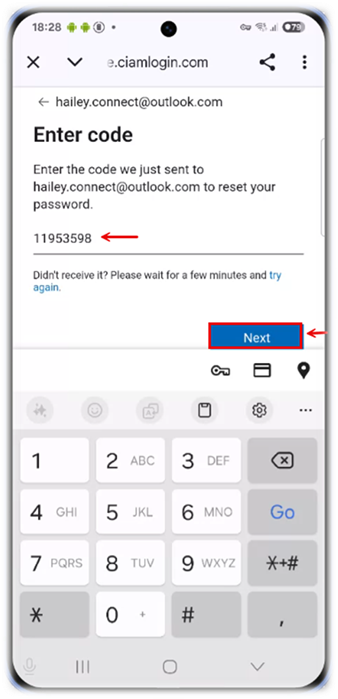
- Enter the code, then click “Next”.
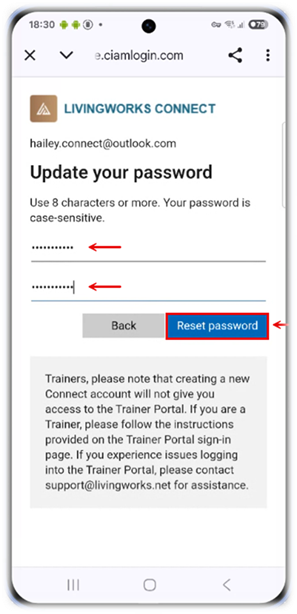
- Create a new password, confirm new password and click “Reset password” to update your login credentials.
Note: Your new password will be used to access both the Trainer Portal and the Connect mobile app, as they share the same login credentials.
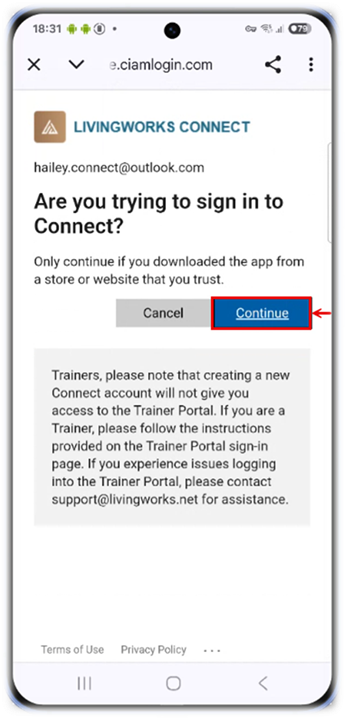
- Click “Continue” to proceed to the next step to login into Connect.
- This will direct you to the Sign In page of the LivingWorks Connect app.
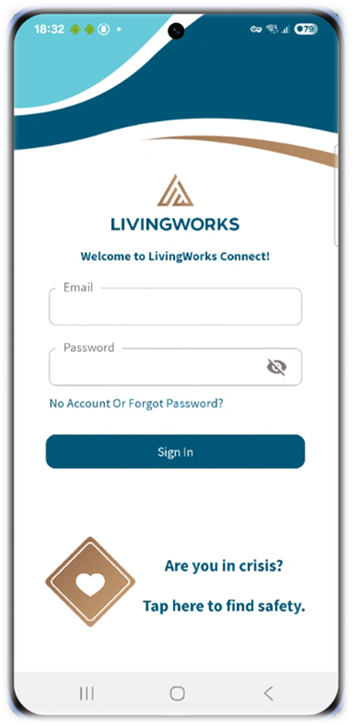
- Enter the new password you created, then click “Sign In” to access your LivingWorks Connect account.
- You’ll now be directed to the Home screen of the LW Connect app.
Was this article helpful?
That’s Great!
Thank you for your feedback
Sorry! We couldn't be helpful
Thank you for your feedback
Feedback sent
We appreciate your effort and will try to fix the article